
Flowcode
License & AI Credits
Flowcode is unlocked with a license key and powered by AI credits. Both are managed from the License tab.
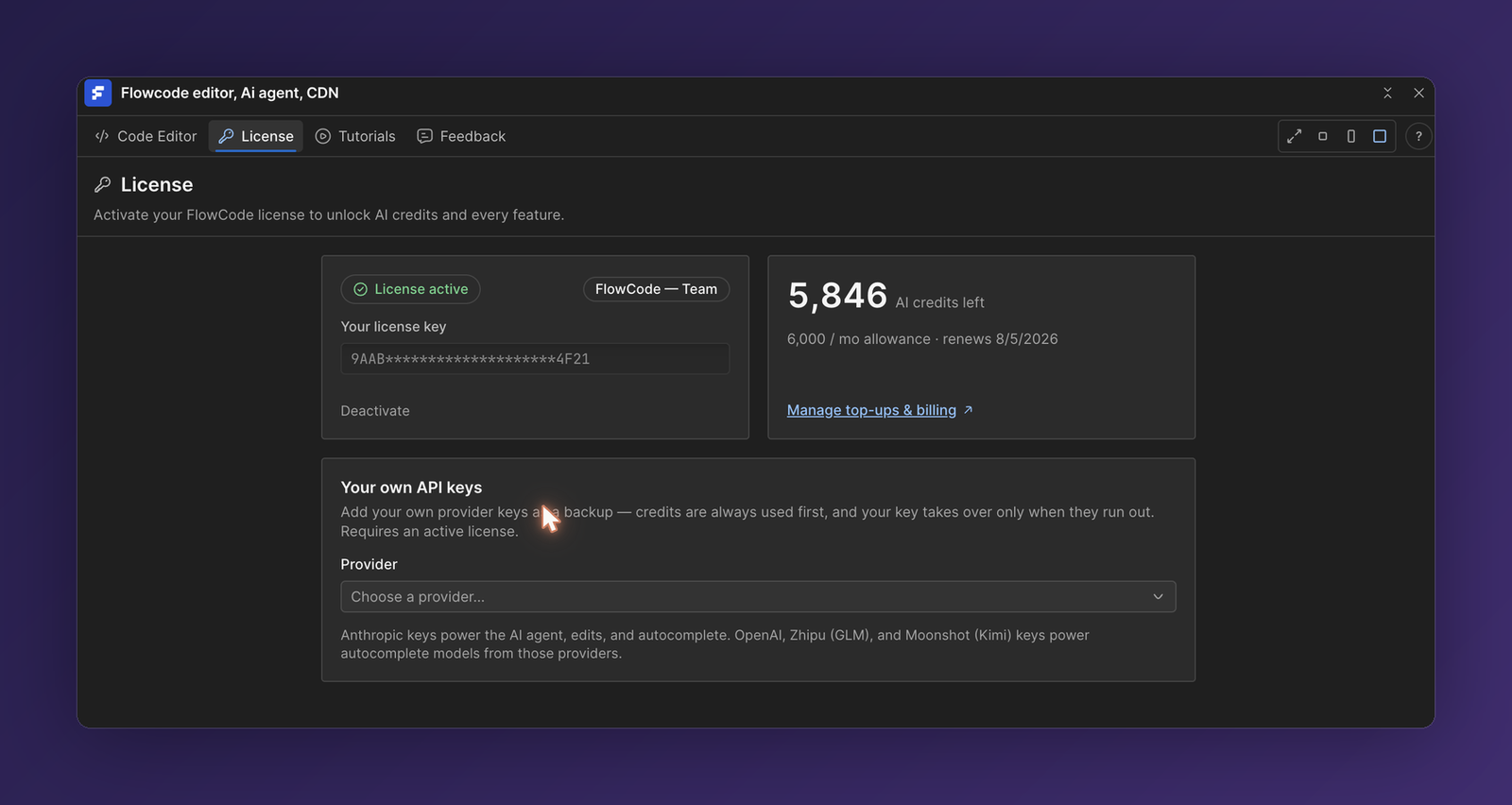
Activate your license
- Open the License tab.
- Paste your license key into Your license key.
- Activate it on this site. Once active, you'll see a green License active badge, your plan name, and your credit balance.
One license is active on one Webflow site at a time. To move it, Deactivate it on the current site, then activate it on the new one.
AI credits
AI credits are spent when you use the AI agent and autocomplete. Your plan includes a monthly allowance that refreshes on your renewal date.
| Plan | Monthly AI credits |
|---|---|
| Starter | 500 |
| Pro | 2,000 |
| Team | 6,000 |
The License tab shows your credits left, your monthly allowance, and the renewal date. Need more before renewal? Use Manage top-ups & billing to buy one-time credit packs, which are added on top of your monthly allowance.
💡 Credits are always spent from your monthly allowance first, then from any top-up packs.
Bring your own API keys (optional)
Under Your own API keys you can add your own provider keys as a backup. Credits are always used first—your key only takes over once they run out. This requires an active license.
- Anthropic keys power the AI agent, edits, and autocomplete.
- OpenAI, Zhipu (GLM), and Moonshot (Kimi) keys power autocomplete models from those providers.
ℹ️ Billing, top-ups, and plan changes are handled in your Faizatech account. The Manage top-ups & billing link opens the right page for your license.