
Flowcode
The AI Agent
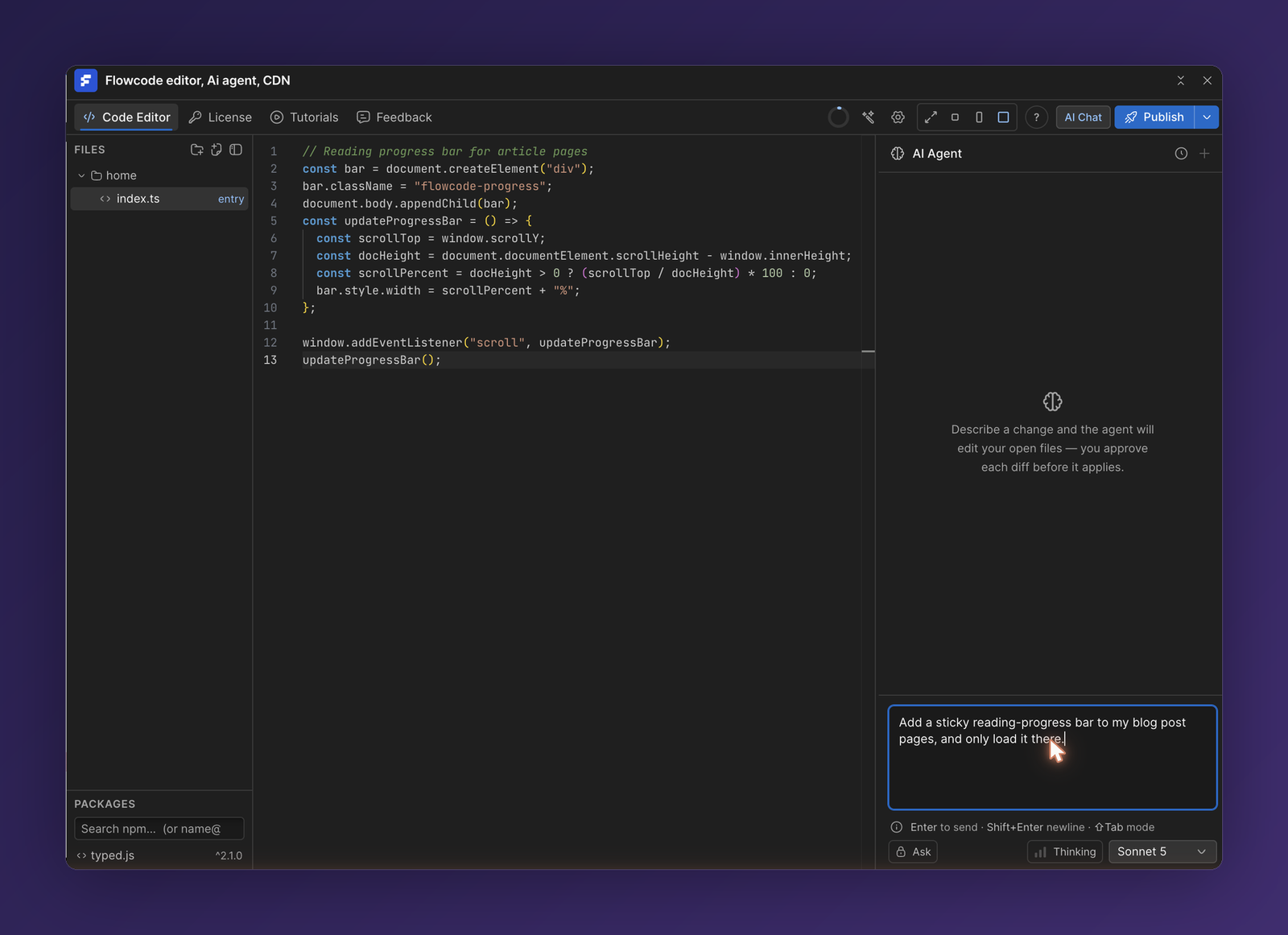
The AI agent is a coding co-pilot that understands your Webflow site. Describe what you want in plain English and it can read your site's structure, edit the design, write the code, and publish it—all from the chat panel.
Open it with the AI Chat button in the top toolbar.
What the agent can do
- Read your site. It can inspect your elements, classes, custom attributes, styles, and page structure to understand the context.
- Edit the design. It can create classes, apply styles, set attributes, and add or change elements on the canvas.
- Write the code. It can create and edit files in your project, then compile and publish them.
Example prompts:
- "Add a sticky reading-progress bar to the blog post pages."
- "Track clicks on every
.ctabutton and log them to the console." - "Turn these three cards into a responsive grid that stacks on mobile."
Asking vs. building
Use the mode control at the bottom of the panel to choose how the agent responds:
- Ask — the agent answers questions and explains, without changing your site.
- Agent — the agent takes action: editing the design and writing code to complete the task.
Switch modes with the toggle (or press Shift+Tab). Press Enter to send, Shift+Enter for a newline.
Attach a selection
Select an element on the canvas and press ⌘+L to attach it to your message. This scopes the agent to exactly what you're pointing at—useful for "restyle this" or "add a click handler to this button."
Model & thinking
- Model picker — choose the AI model the agent uses.
- Thinking — let the model reason more deeply before acting, for harder tasks.
Review before it ships
For design changes, the agent shows what it plans to do so you can review before applying. By default it scopes edits to the current page or selection.
⚠️ The agent and autocomplete spend AI credits. Keep an eye on your balance in the License tab, and add a provider key there if you'd rather use your own.
💡 Start a fresh conversation with the + button when you switch to a new task—it keeps the agent's context focused.